

Split restaurant bills effortlessly
Snap a photo of your receipt—our AI instantly reads every item. Drag and drop to assign, and see who owes what in seconds.


How to split a restaurant bill in seconds
Seven simple steps. Zero awkwardness.
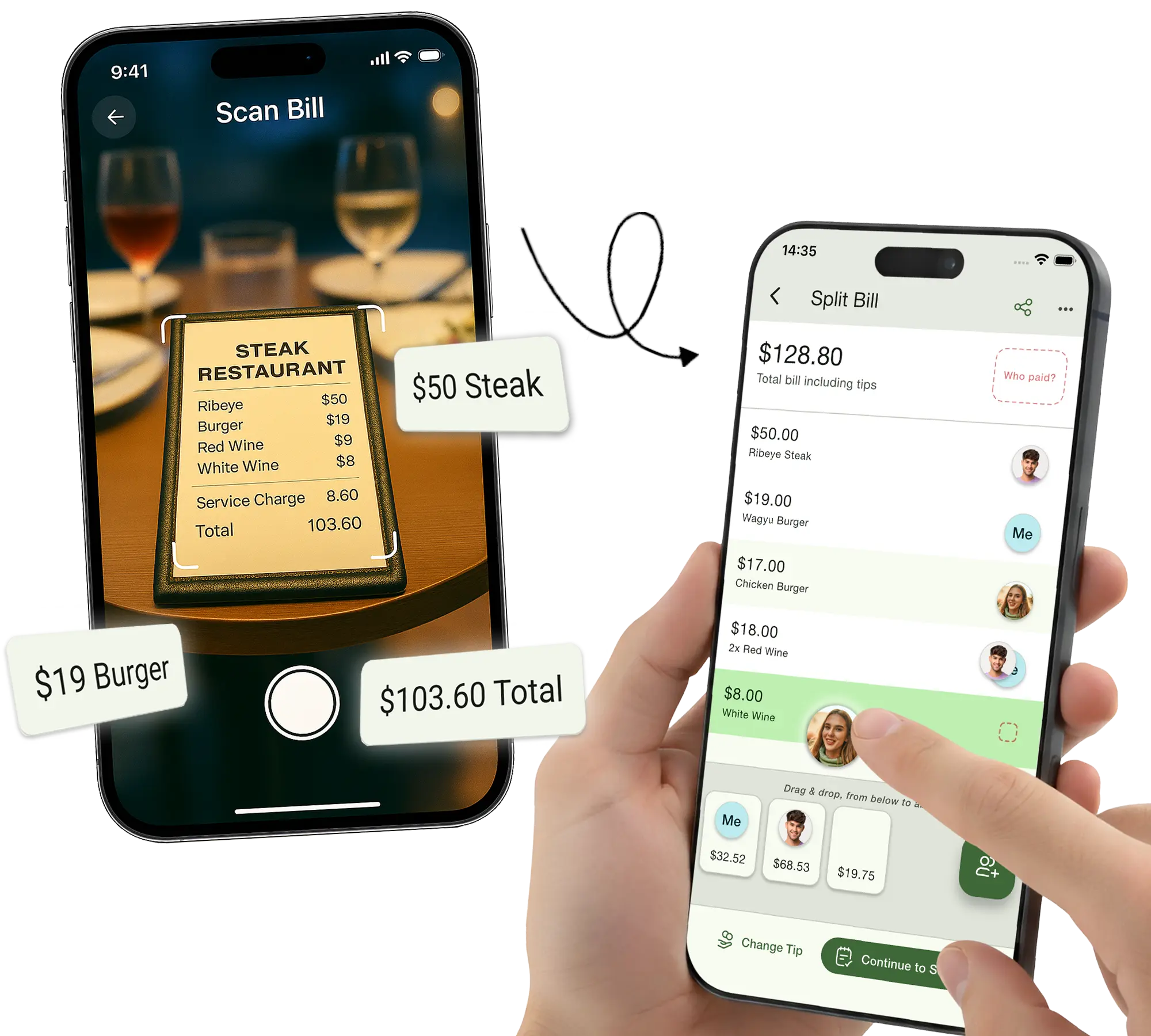
Snap a picture
Just point your camera at the bill. Our AI reads everything — items, prices, tax, and tip.
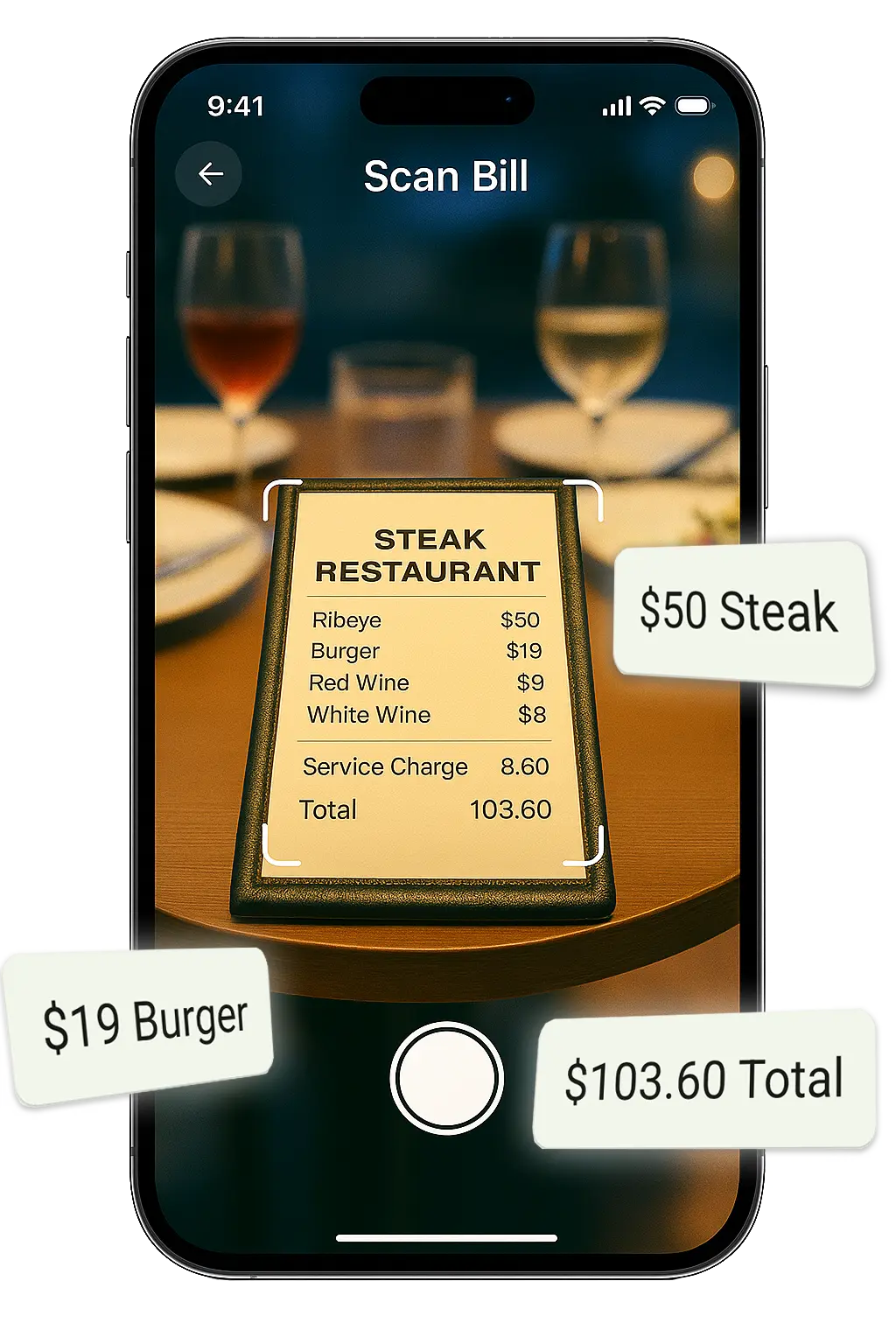
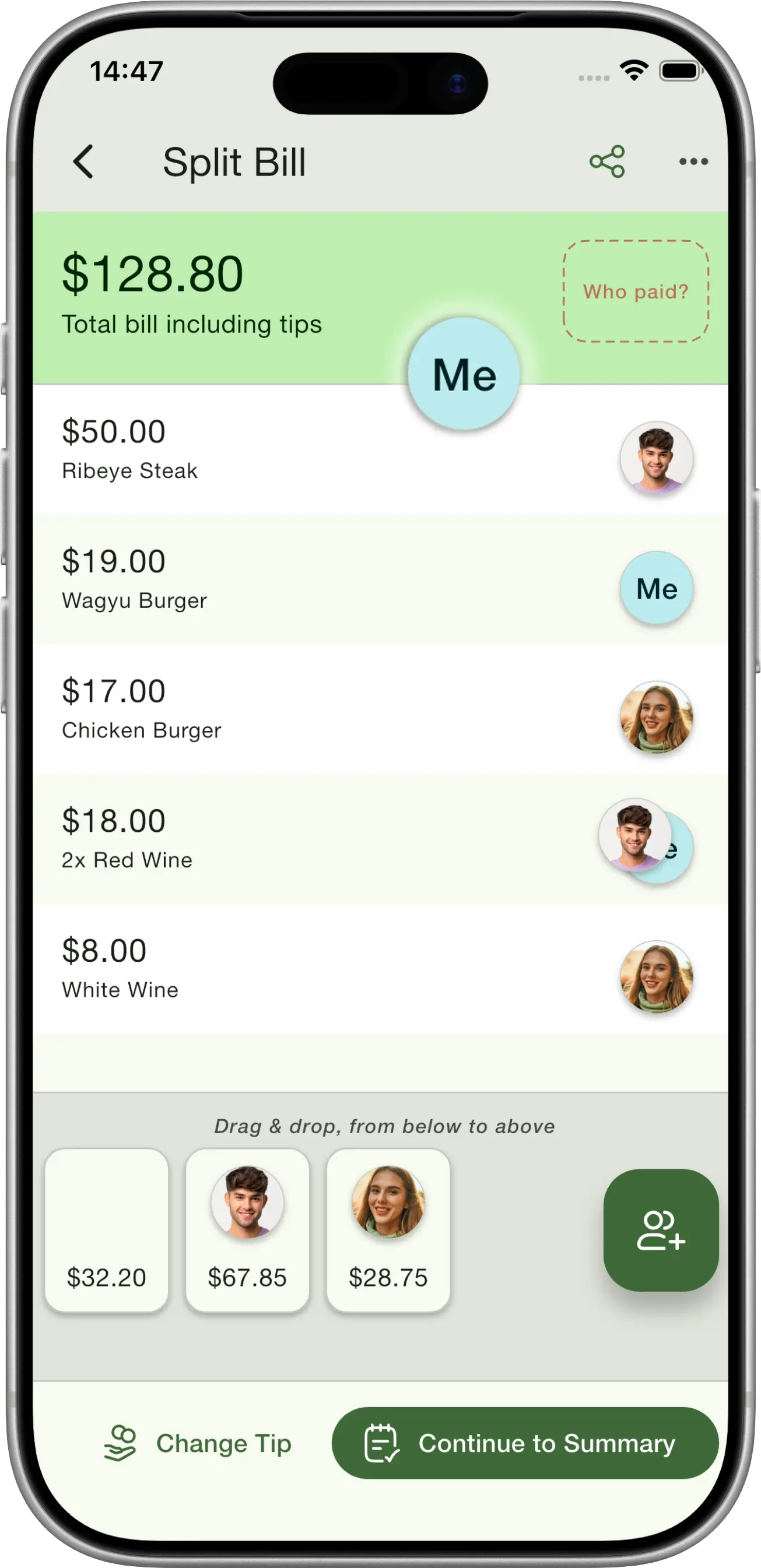
Drag and drop
Assign each item by dragging it to a friend. Share items between multiple people with a tap.
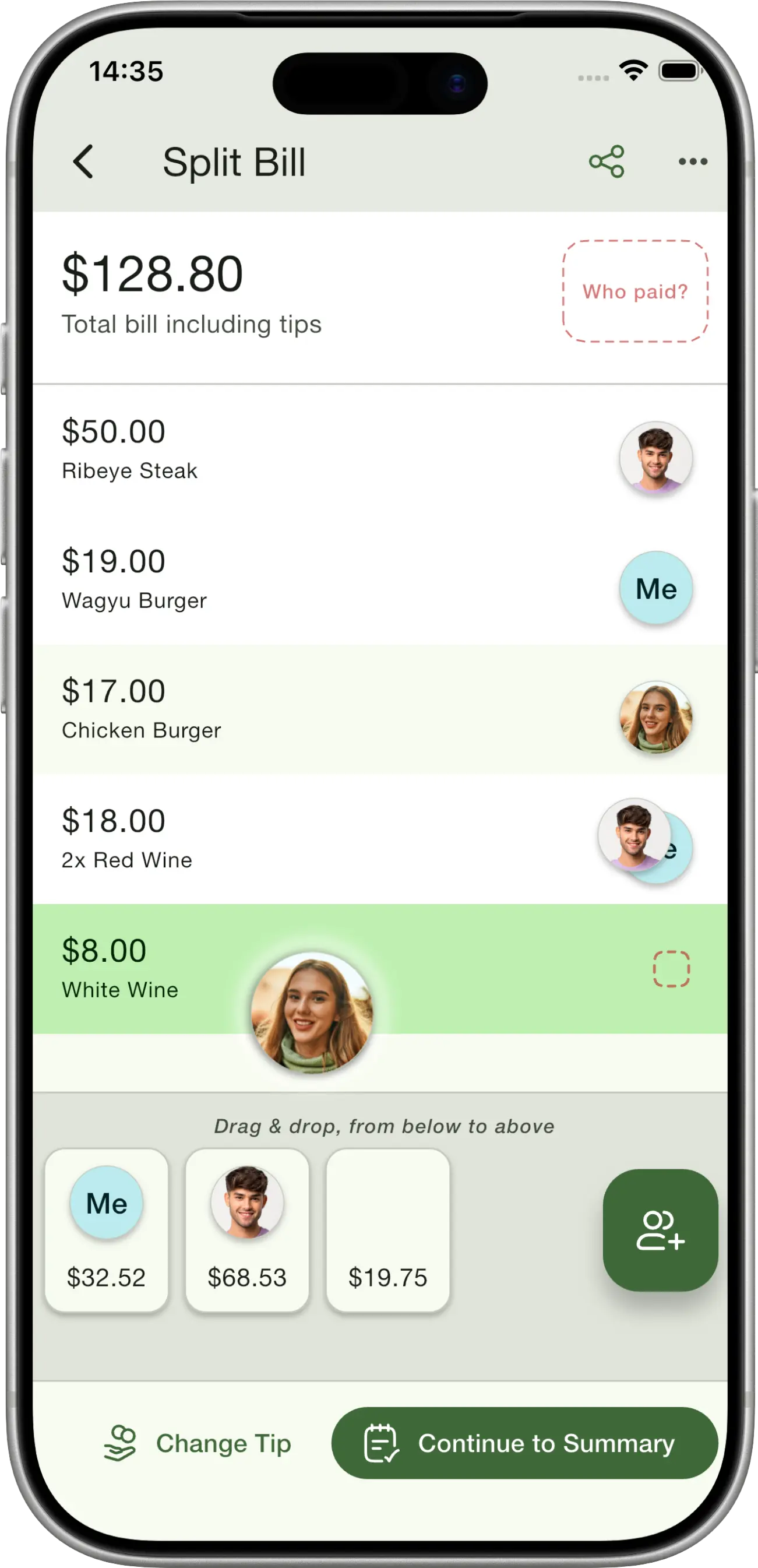
Invite everyone at the table
Share a QR code or link so friends can join your session and claim their own items in real-time.
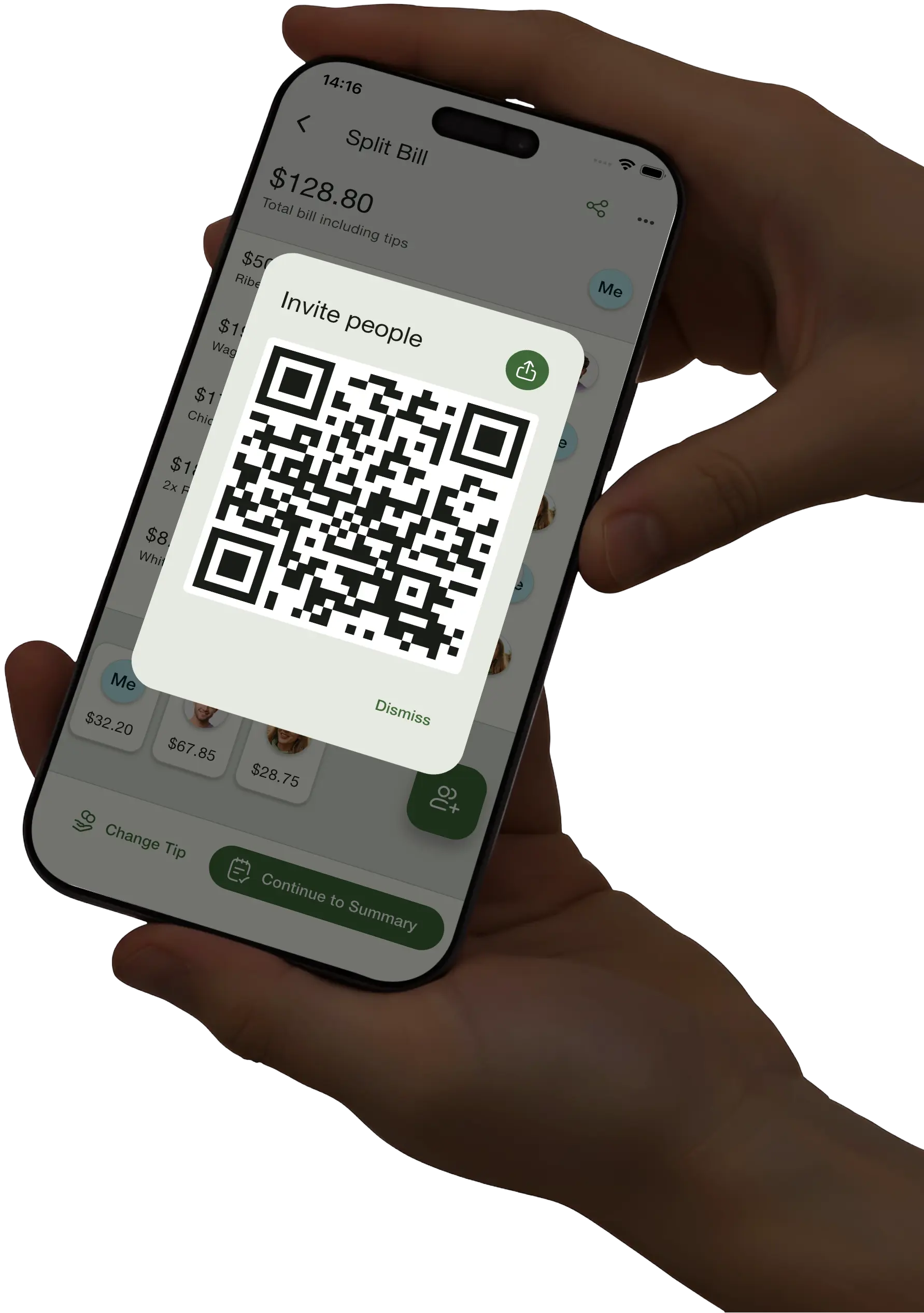
Get individual bills
See a clear breakdown of what each person's share of the bill is, including their fair share of tax and tips.
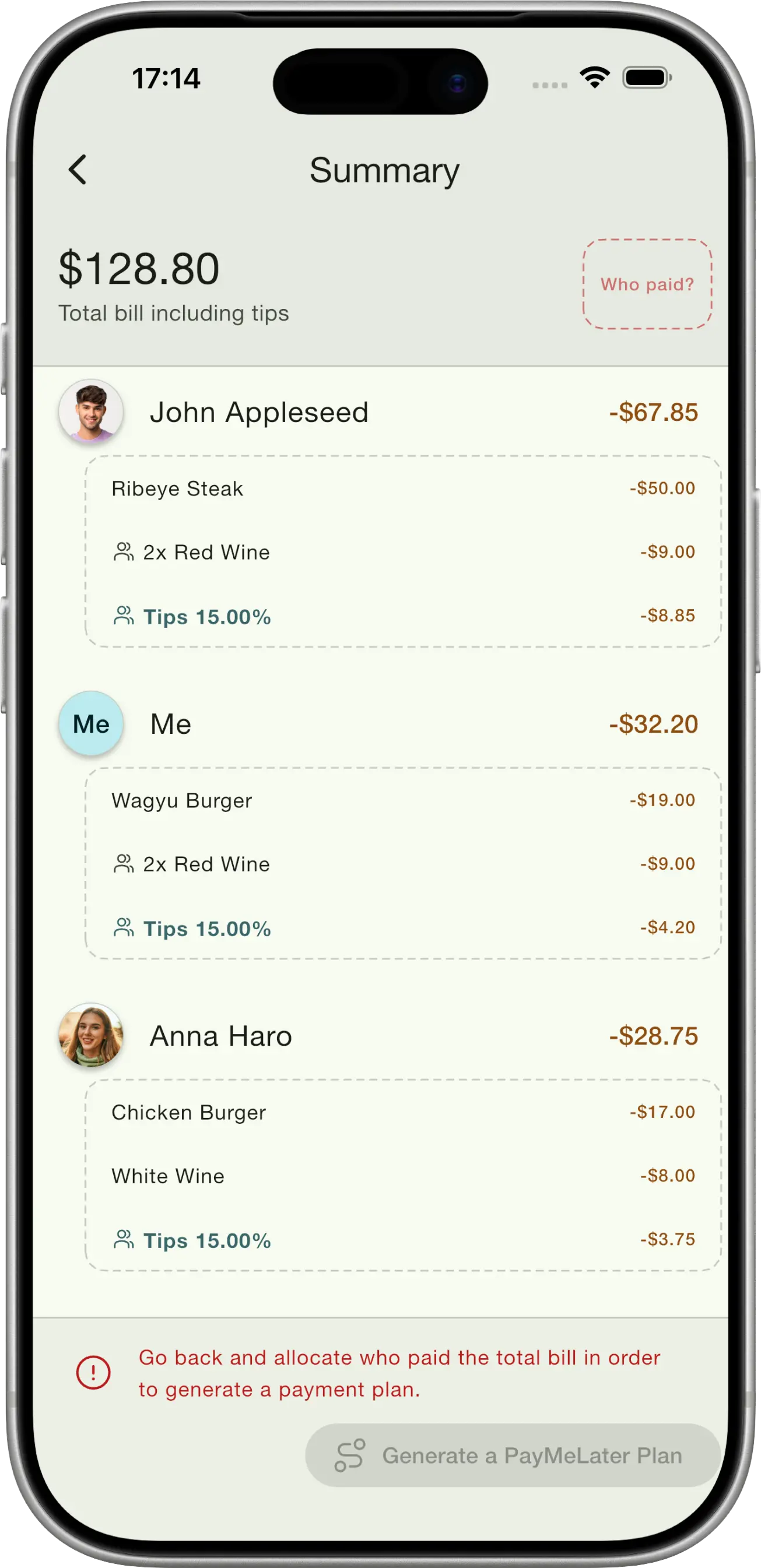
Tips are easy (and fair)!
Tips are automatically split fairly based on how much each person ordered.
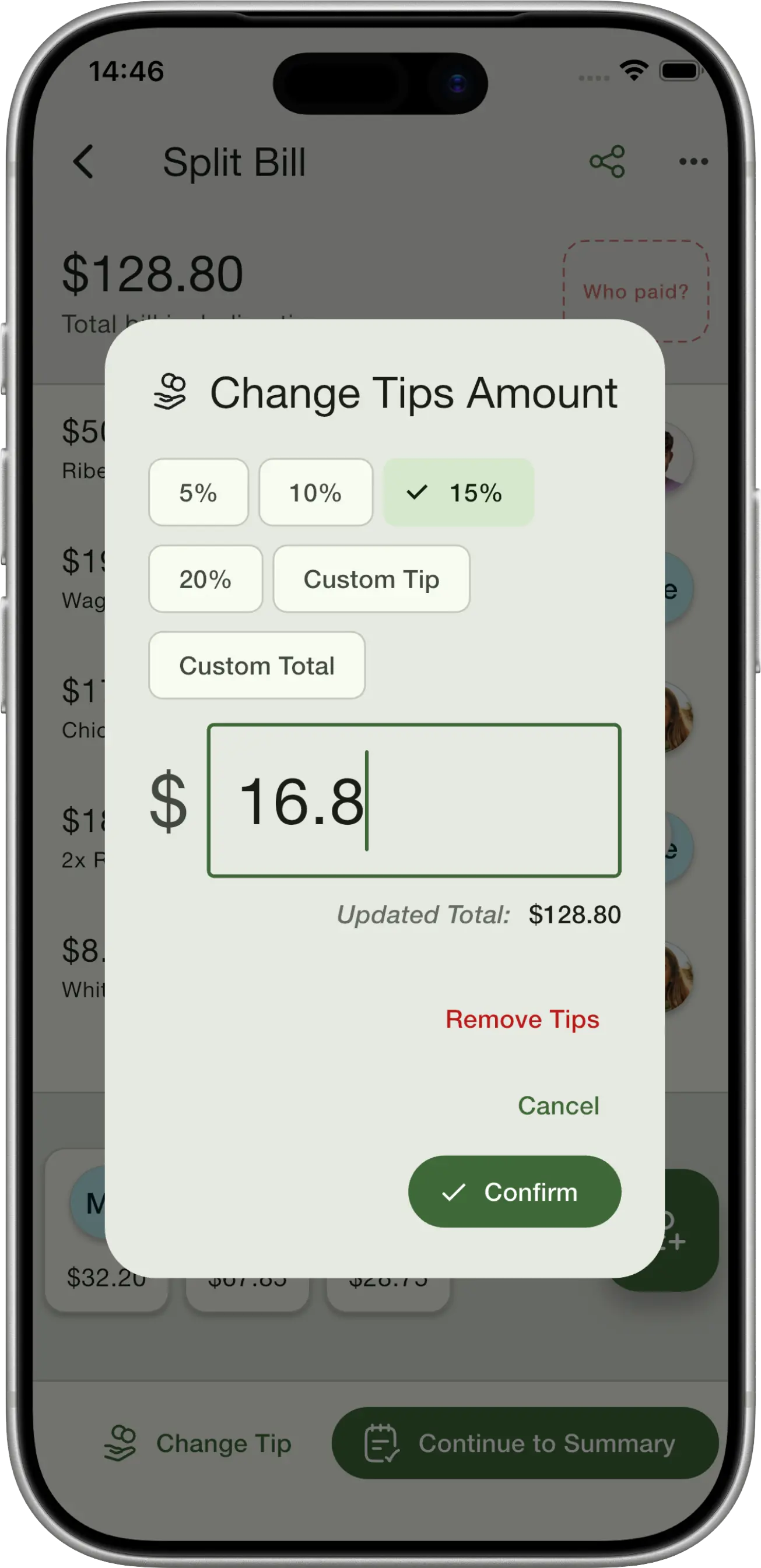
Mark who paid the bill
Supports more than one person paying the bill, and you can even pay tips separately.
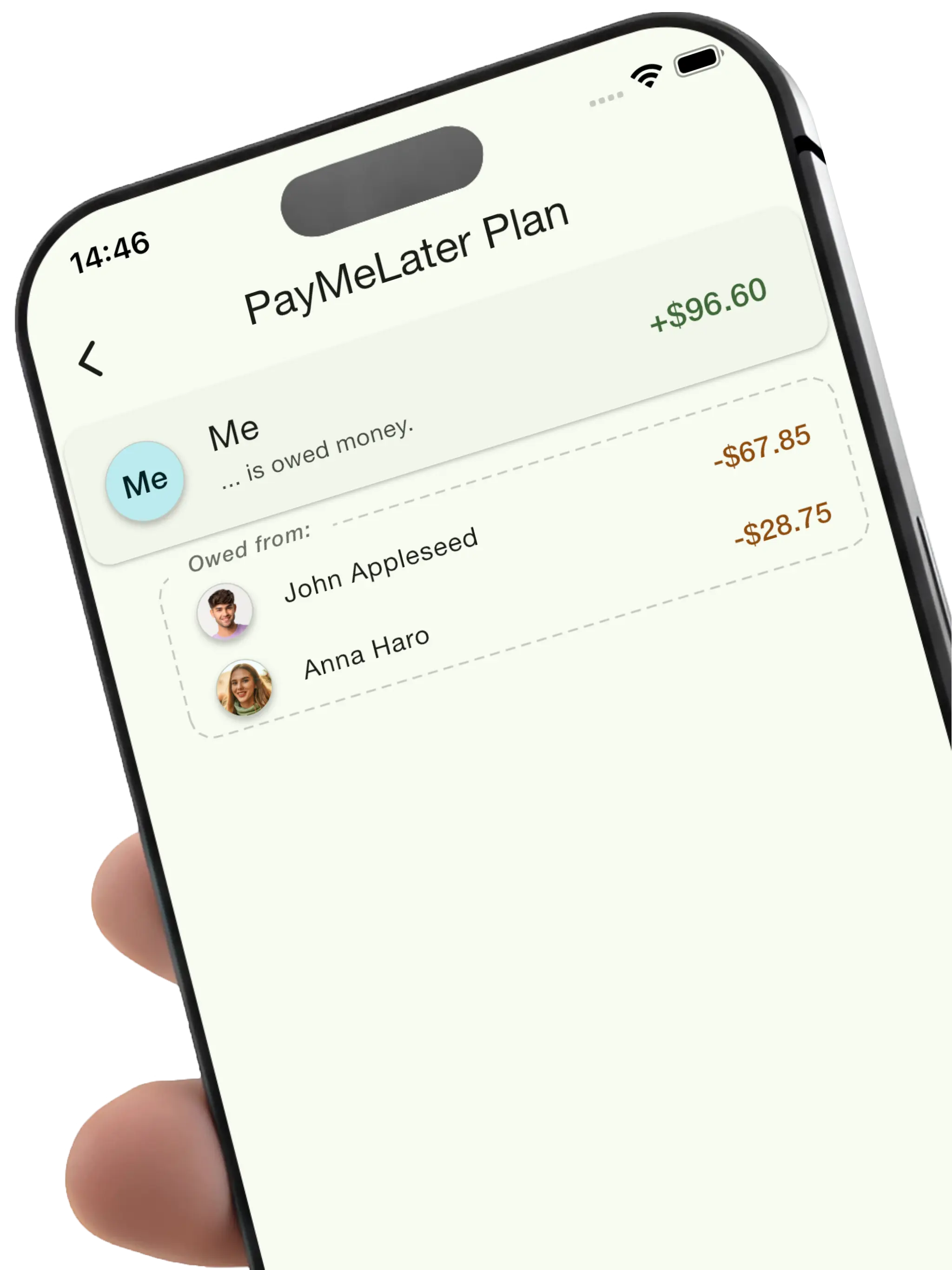
See how much everyone owes the bill payer
Get an IOU payment plan showing exactly who owes the bill payer and how much — and hand it to PayMeLater, our IOU-tracking sister app, to keep track until everyone's paid up.
Split bills together
No more awkward money conversations. Share a QR code and let everyone claim their own items in real-time. Works seamlessly across iOS and Android, so everyone at the table can join in.
Instant QR Sharing
One tap generates a QR code anyone can scan to join
Real-time Sync
Everyone sees updates instantly as items get claimed
The AI bill splitter app built for the moment the check arrives
Working out who owes what at the end of a meal usually means passing the receipt around, doing mental math, and someone quietly overpaying. Check Please! is an AI bill splitter app that does it in seconds: scan the restaurant bill with your phone, let the AI read every item and price, then drag each dish to the person who ordered it.
Because tax and tip are split in proportion to what each person actually ordered, the bill split is genuinely fair — not just the total divided by heads. Whether you're splitting a casual dinner with friends or a big group celebration, everyone can join the same session from their own phone on iOS or Android, claim their items, and settle up without the awkward money conversation.
New to this? Read our guide on how to split a restaurant bill fairly, learn how to split tax and tip fairly, or try the bill split calculator.
Frequently asked questions
Everything you need to know about splitting a restaurant bill with Check Please!
Is Check Please! free to use?
Check Please! is free to download on iOS and Android and includes a free trial. After the trial, some premium features require a subscription.
How does the AI read my receipt?
You snap a photo of the paper bill and the app's AI reads each line item, its price, the tax and any service charge, building an itemised digital check in seconds with no manual typing.
Does Check Please! work on both iPhone and Android?
Yes. Check Please! runs natively on iOS and Android, and a single split session works across both at the same table, so iPhone and Android users can split one bill together.
How does it split tax and tip fairly?
Tax and tip are shared in proportion to what each person ordered rather than divided evenly, so a bigger order covers a bigger share of the tip and lighter eaters aren't overcharged.
Can a whole group split the bill together at once?
Yes. In Multiplayer Mode the bill owner shares a QR code or link, everyone joins on their own phone, and each person claims their items in real time as the split updates live.
Can I split an item shared by several people?
Yes. Any shared item can be assigned to several people with a tap, and its cost plus its share of tax and tip is divided between them automatically.
Can more than one person pay the bill?
Yes. Check Please! supports more than one person paying, lets you pay the tip separately, and produces an IOU plan showing exactly who owes the bill payer and how much.
What happens to my receipt photo? Is it private?
Your receipt photo is sent securely to our AI provider, Google Gemini, to read the items and prices. We may retain receipt images and processing logs on our servers to improve accuracy and fix bugs; they are stored securely and are not shared with third parties except as needed for processing or where required by law. See our Privacy Policy for full details.
Read our Privacy Policy